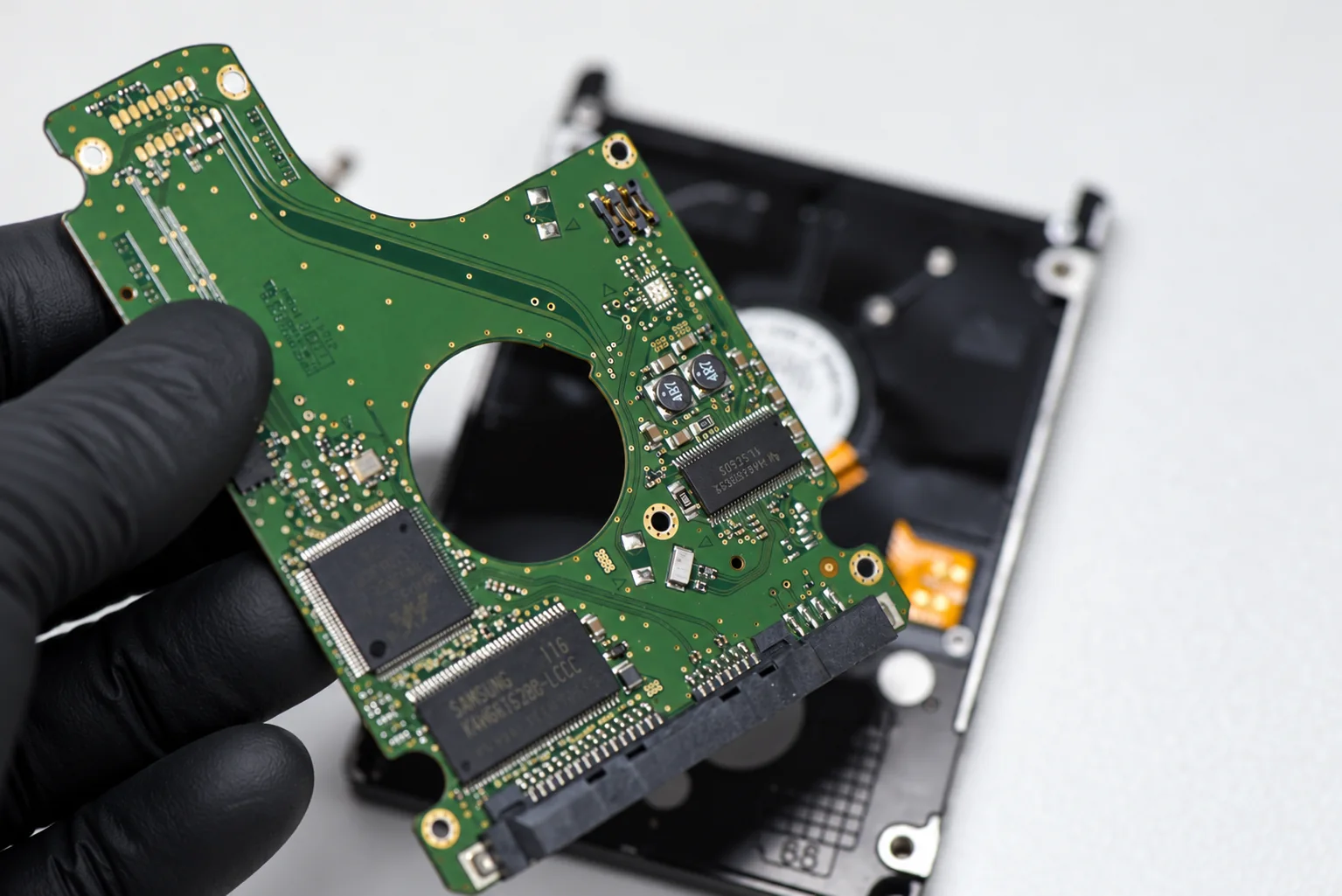
Open A Recovery Case Open Case
Legacy Samsung hard drive recovery

Samsung Data Recovery

Professional Samsung data recovery for legacy desktop and laptop hard drives, including SpinPoint F-series, M-series, EcoGreen and later Samsung-branded models produced during the transition into Seagate.

Older Samsung hard drives have their own firmware structures, PCB behaviour and recovery procedures. Later drives can belong to Samsung-derived, transitional or Seagate-managed families, so the label alone is not enough to choose the correct recovery method.

SpinPoint F1 / F2 / F3 M7 / M8 / M9T EcoGreen IDE / SATA
Legacy Samsung hard drives prepared for professional data recovery
Two Samsung HDD eras

Samsung hard drives before and after Seagate are not one recovery architecture

Seagate announced its agreement to acquire Samsung's hard disk drive business in April 2011 and completed the acquisition on December 19, 2011. The transaction included Samsung's HDD engineering, manufacturing assets and the M8 mobile product line. During the transition, Samsung-branded products continued to exist while the two businesses, product roadmaps and support systems were being integrated.

That history matters in the lab. A pre-acquisition SpinPoint F1, F3 or M7 belongs to the classic Samsung recovery ecosystem. A later Samsung-branded or SpinPoint drive may still contain Samsung-derived design work, may be transitional, or may behave much more like a Seagate family. Model and family identification therefore comes before firmware work, donor selection or PCB decisions.

Pre-2011

Classic Samsung / SpinPoint

These drives use Samsung-specific firmware structures, ROM behaviour, defect management and terminal procedures. Common recovery work includes A-list faults, PCB damage, ROM/overlay problems, head failure and family-specific hot-swap methods.

Transition and later

Samsung under Seagate

After the acquisition, the Samsung HDD business moved into Seagate. Some later models retained SpinPoint or Samsung support identity while model numbering, firmware behaviour and service procedures increasingly overlapped with Seagate's ecosystem.

Seagate data recovery →
Important: the 2011 acquisition is not a clean technical cut-off. Seagate retained some Samsung HDD products under the Samsung brand during the transition, and regulatory conditions delayed complete integration of the Samsung HDD business until later. The model and underlying family matter more than the logo printed on the label.
Samsung hard drive families

SpinPoint desktop, mobile and EcoGreen drives still arrive for recovery

Samsung produced a broad range of desktop and notebook hard drives before its HDD business moved to Seagate. The family name, model number, PCB revision, firmware generation and head configuration can all influence the recovery path.

Desktop HDD

SpinPoint F1 / F2 / F3

Widely used 3.5-inch Samsung SATA families. Typical cases include PCB failure, firmware-area problems, incorrect capacity, head failure and unstable sectors.

Mobile HDD

SpinPoint M7 / M8

2.5-inch notebook drives with compact mechanical assemblies. Recovery often depends on stable heads, correct donor matching and access to the native firmware.

Later mobile HDD

SpinPoint M9T

A later high-capacity mobile family supported through Seagate after the acquisition. These drives illustrate why Samsung-labelled lineage and actual technical platform must be separated during diagnosis.

Low-power desktop HDD

EcoGreen

Samsung EcoGreen models were common in desktop storage and external enclosures. Aging heads, PCB faults, weak media and firmware initialization problems are all encountered in recovery work.

Older generation

S / T / P Series

Earlier Samsung desktop families include both PATA and SATA generations. These older drives are increasingly donor-dependent when the problem becomes mechanical.

External products

Samsung external drives

External units can add enclosure, bridge-board or power faults on top of the internal HDD failure. The actual drive inside must be identified before the recovery architecture is chosen.

Common legacy Samsung failures

PCB, firmware and head failures have recognizable Samsung-specific patterns

Classic SpinPoint drives are mature architectures, but they do not fail in exactly the same way as Western Digital, Toshiba or modern Seagate platforms. Diagnosis starts by separating electronics, firmware initialization and mechanical condition.

01

Burned or failed PCB

Legacy Samsung drives are regularly seen completely dead after PCB, motor-driver or protection-component failure. Donor-board matching alone is not always enough; original ROM and adaptive information may still matter.

02

A-list / defect-list corruption

On supported Samsung families, damaged allocation or defect information can block normal initialization, produce busy behaviour, or cause a drive to spin up and then spin down before becoming ready.

03

ROM and overlay mismatch

Samsung recovery can depend on the relationship between PCB ROM data and firmware overlays stored in the Service Area. A mismatched or damaged set can leave the drive incorrectly identified, at zero capacity or unable to initialize.

04

Heads stuck or degraded

Older Samsung notebook drives can arrive with heads stuck on the platter surface, while other cases involve weak or failed heads that click, retry continuously or read only selected surfaces.

Samsung electronics and firmware

A dead Samsung drive may need much more than a donor PCB

Samsung PCB failures can look simple: no spin, no identification and no response. But a replacement board still has to be compatible with the patient's drive-specific firmware and adaptive data. A donor PCB that powers the motor is not necessarily a complete recovery solution.

On difficult legacy cases, professional recovery may involve reading or rebuilding ROM resources, matching firmware overlays, using a compatible donor environment, or bringing the patient HDA online through a controlled hot-swap procedure.

The objective is always the same: regain stable sector access with the least possible stress on the original heads and media, then move immediately into controlled imaging.

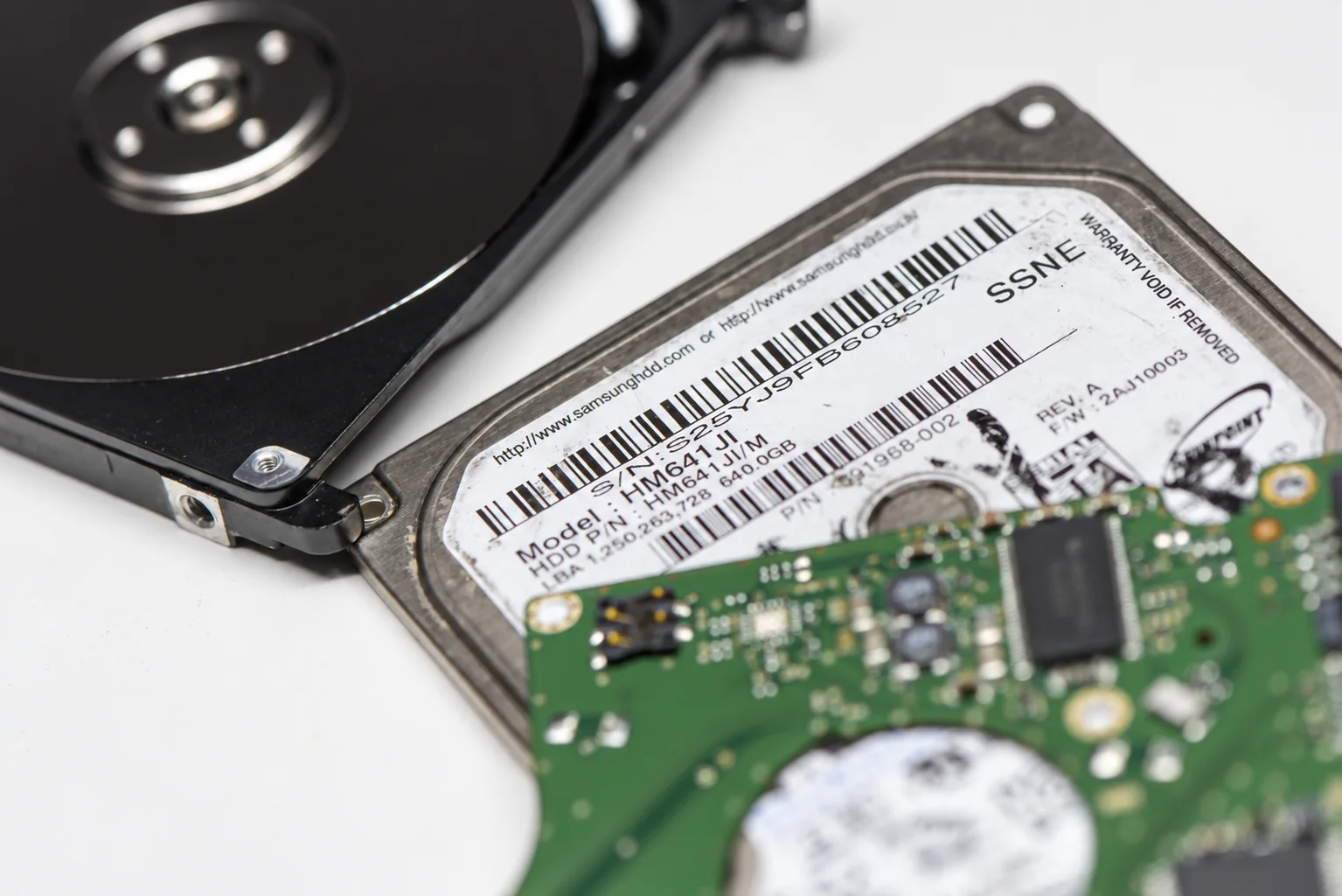
Samsung hard drive PCB and donor board prepared for firmware and electronics recovery
Established professional procedures

Samsung recovery often depends on RAM-level access, hot swap and family-specific firmware work

Classic Samsung families have been supported by professional recovery systems for years. The work is not one universal “Samsung fix”; the correct procedure depends on whether the drive can initialize, whether the original ROM can be read, and whether the Service Area is accessible through the native heads.

01

Clear A-list / restore initialization

When allocation-list corruption prevents normal startup, family-specific firmware procedures can restore access long enough to read the native Service Area and begin imaging.

02

PCB hot swap

On some legacy Samsung cases with damaged ROM or inaccessible firmware, a compatible donor can be initialized first so the patient HDA can be brought into a working firmware environment without relying on its failed startup path.

03

Loader / RAM-based startup

Where normal overlay loading fails, supported families may be started through a controlled loader or RAM-based path so native firmware resources can be accessed, backed up and used for recovery.

04

Head map and selective imaging

If only part of the head stack is stable, imaging can be prioritized around readable heads and critical filesystem regions instead of repeatedly forcing weak surfaces.

These are recovery procedures, not drive repairs for continued use. Once the patient becomes readable, firmware access is used to support imaging. The old hard drive is not returned to normal service as a trusted storage device.
After the acquisition

A later Samsung label can lead to a Seagate workflow - but not by assumption

The acquisition did not instantly convert every Samsung drive into a standard Seagate platform. Samsung product lines continued through a transition period, and Seagate maintained support for SpinPoint families after the transaction.

Later model numbers such as ST-series SpinPoint drives are an immediate clue that the case may sit closer to the Seagate ecosystem. At that point the recovery technician follows the actual family architecture rather than applying a classic Samsung routine simply because the drive is still associated with the Samsung or SpinPoint name.

This distinction is especially important for ROM handling, firmware access, donor matching and any drive that reaches readiness only intermittently.

How Samsung differs

Legacy Samsung recovery sits somewhere between mature firmware work and difficult physical access

Samsung is not simply a smaller version of Seagate, WD or Toshiba. The difficult part can shift quickly from electronics to ROM compatibility, firmware initialization, heads or donor availability depending on the family.

Samsung

ROM, overlays and hot-swap procedures

Legacy Samsung families can require donor-assisted initialization, RAM-level firmware work and careful matching between ROM resources and Service Area overlays.

Seagate

Different terminal and firmware logic

Native Seagate families use their own terminal, translator and firmware procedures. Later Samsung-associated models that belong there should be handled as Seagate, not forced through a classic Samsung workflow.

Western Digital

Different ROM and Service Area access

WD families have their own adaptive ROM, security and SA-access methods. Similar symptoms such as zero capacity or busy state do not imply the same repair path.

Toshiba

Different platform and donor behaviour

Toshiba recovery has its own native-USB, translator and firmware architecture. Samsung donor and hot-swap logic should not be generalized across brands.

Selected Aesonlabs recovery cases

Featured recovery cases from Canada, the United States and abroad

Loading case map…
Worldwide Samsung data recovery

Ship a Samsung hard drive to Aesonlabs

We accept Samsung hard drive recovery cases by tracked shipment from across Canada, the United States and internationally. Include the exact model number if available, especially on later Samsung / Seagate transition-era drives.

If another PCB has been installed, the drive was opened, or another recovery company already attempted firmware or head work, include that history with the case.

Samsung drive failed?

Tell us the Samsung model, capacity and what the drive is doing now

Include the exact model number from the label, whether it is a desktop or laptop drive, and whether it spins, clicks, powers off, reports the wrong capacity, appears busy or remains completely dead.

On Samsung / Seagate transition-era drives, the exact model is especially important because it determines which firmware architecture and donor rules apply.

SpinPoint F1 / F2 / F3 M7 / M8 / M9T EcoGreen IDE / SATA Previous Attempt
Request an Evaluation

Tell us about your Samsung hard drive

Start with the model, symptoms and what data you need recovered.

Samsung data recovery

Identify the real Samsung family first. Recover the data second.

Legacy Samsung drives are well documented, but the transition into Seagate means the brand name alone no longer tells the whole technical story. Correct family identification, firmware handling, donor matching and controlled imaging are what determine the recovery path.