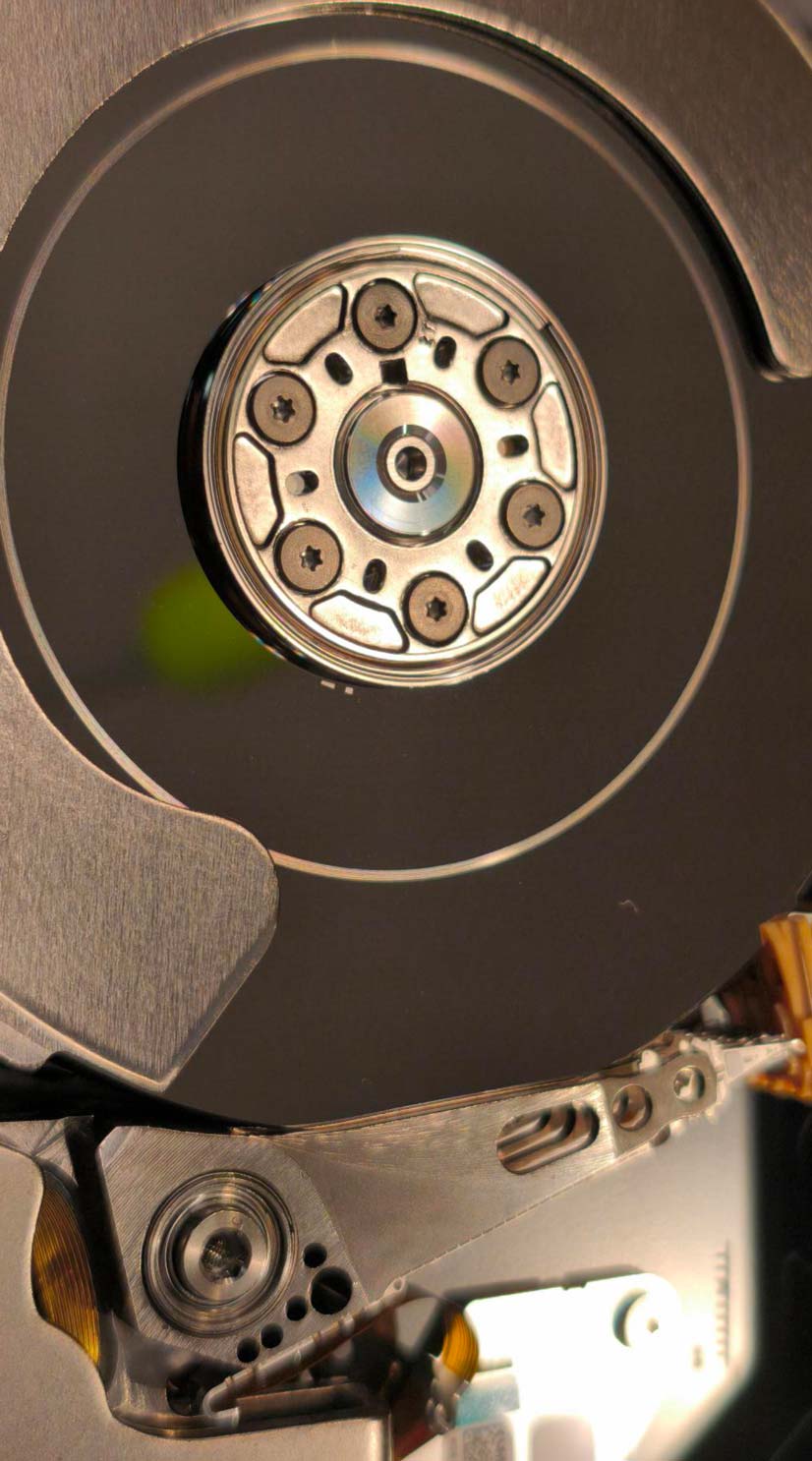
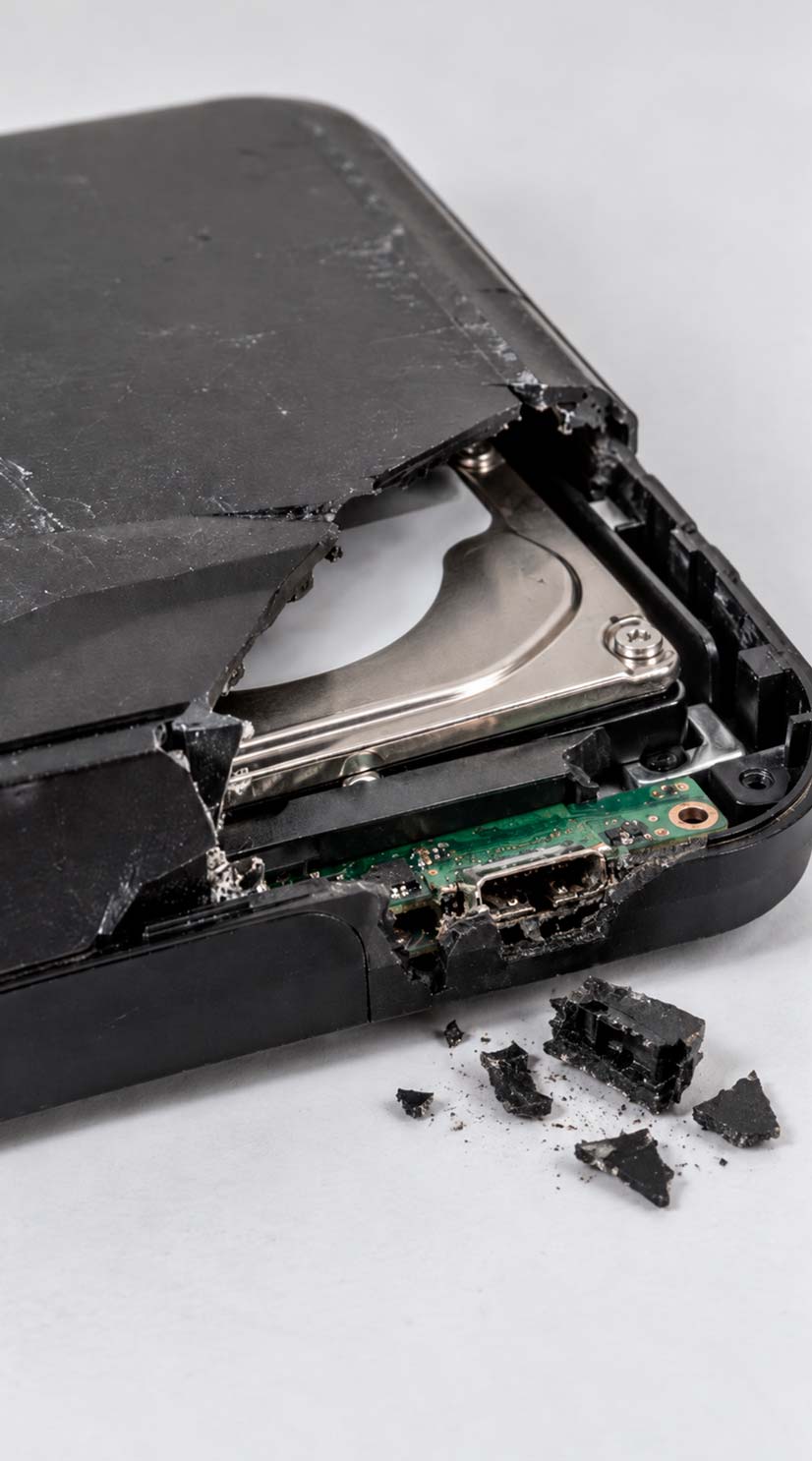
A dropped hard drive can suffer anything from enclosure damage to serious internal mechanical failure. If the drive is clicking, clanking, scraping, beeping, not detecting, or behaving differently after the drop, stop using it immediately. Continued operation can turn a recoverable problem into permanent media damage.
Stop Using the Drive
Important Advisory After a Hard Drive Drop
If the drive changed behaviour after the drop, do not keep testing it. Mechanical damage can become platter damage if the drive is repeatedly powered on.
Disconnect Power
If the drive is clicking, scraping, clanking, or making irregular noises, power it down right away.
Do Not Run Software
CHKDSK, First Aid, surface scans, and recovery software cannot repair mechanical damage.
Do Not Keep Reconnecting It
Repeated attempts to “see if it comes back” can worsen head damage and reduce the remaining readable area.
Do Not Open the Drive
Internal inspection should be performed under proper controlled conditions when mechanical damage is suspected.
If the Data Matters, Stop Testing
If the files are important, a controlled diagnostic is safer than repeated trial-and-error power cycles.
External Drive? Do Not Assume It Is Only the Enclosure
The USB enclosure may be damaged, but the internal drive may also have suffered mechanical shock.
Impact State
Dropped While Powered Off vs. Dropped While Running
The risk profile changes depending on whether the platters were stationary or spinning when the impact occurred. A powered-off drive is generally at lower risk of immediate head-to-platter contact, but it is not immune to shock damage.
Powered Off
Dropped While the Drive Was Off
Many modern hard drives unload the heads onto a dedicated parking ramp when they shut down. This reduces the chance of immediate platter contact during an impact. However, a hard fall can still damage the head suspension, head-stack assembly, spindle system, parking mechanism, connectors, controller board, or enclosure.
Powered On
Dropped While the Drive Was Running
During operation, the read/write heads fly only a tiny distance above the rotating platter surfaces. A sudden impact can damage the sliders or suspension, disturb proper head positioning, or cause direct head-to-platter contact before the drive can unload the heads.
01
A Dangerous Misconception
A Dropped Drive Can Still Work — Temporarily
A drive that still mounts after a drop is not necessarily healthy. It may read normally at first, become intermittently slow, disconnect only occasionally, or click only when specific areas of the platters are accessed.
One head may be weakened while the remaining heads continue to read. The drive can appear usable until the firmware requests data from the damaged head or surface. Continued use at that point can convert a limited head problem into wider media damage.
Inside the Drive
What Happens Inside a Hard Drive During a Drop
A hard drive contains several precision mechanical systems that must remain aligned and stable while the platters rotate at thousands of revolutions per minute. A shock event can affect one component or several at the same time.
01
Read/Write Heads
The sliders and suspension assemblies are extremely delicate. Shock can damage a head even when the drive still spins and partially reads.
02
Platters
The magnetic recording surfaces can be scratched if a damaged head contacts them while the drive is spinning.
03
Head-Stack Actuator
Impact can damage the suspension or actuator assembly and prevent the heads from following servo tracks correctly.
04
Parking System
Many modern drives unload their heads onto a ramp when not operating. Shock can still damage the ramp or loading mechanism.
Mechanical Escalation
Head Crash and Platter Damage
One of the most serious outcomes after a drop is a head crash. If a damaged head contacts the platter surface, it can scratch the magnetic recording layer and generate microscopic debris inside the drive.
The original impact may damage only a head or suspension component. Continued operation can then allow that damaged head to keep contacting the media, producing progressive scoring and contaminating additional surfaces.
Once the magnetic recording layer has been physically removed from an area, the information stored in that damaged area cannot be reconstructed by software or by simply replacing the heads.
Head-to-platter contact can turn a limited mechanical failure into permanent recording-surface damage.
Not Every Drop Means Head Replacement
Other Failures Caused by Impact
Dropped drives do not all fail in the same way. A proper diagnosis should distinguish between internal mechanical damage, spindle problems, electronics damage, and external enclosure failure before a recovery path is selected.
Head-Stack or Suspension Damage
The drive may click, calibrate repeatedly, read only through some heads, or fail to identify correctly.
Spindle or Bearing Damage
The drive may fail to spin, spin irregularly, vibrate, or stop shortly after startup.
Heads Stuck or Loading Problems
A shock can leave the head assembly unable to load or unload normally from the parking system.
PCB or Connector Damage
SATA, USB, or power connectors can crack or separate, and solder joints or board components can be damaged.
Enclosure Damage
External-drive housings, bridge electronics, and power connections can fail while the internal drive remains intact.
Progressive Media Damage
A partially functional drive can worsen with each power-on attempt if damaged heads continue to touch the platters.
External-drive impact can damage the enclosure, USB interface, connector, or the hard drive itself.
External Drives
Dropped External Hard Drives
A dropped external hard drive not working after a fall does not automatically mean the internal drive has failed. Sometimes the drop damages the USB connector, bridge board, power connection, cable interface, or enclosure rather than the hard drive itself.
Other times, the enclosure appears intact while the drive inside has suffered genuine mechanical damage. If the unit spins normally and makes no unusual sounds, an interface problem is possible. If it clicks, beeps, scrapes, clanks, repeatedly spins down, or behaves differently after the impact, stop testing it.
Some external drives also use USB-native controller boards or enclosure-related encryption, so removing the drive and connecting it directly is not always a simple or safe diagnostic step.
If the failure is limited to the enclosure or interface electronics, it should be diagnosed as such rather than treated as an unnecessary internal mechanical recovery.
After the Drop
Common Symptoms of a Dropped Hard Drive
A dropped hard drive not working after an impact may fail completely, remain partially accessible, or develop mechanical symptoms that appear only when specific heads or platter areas are accessed.
Clicking or repeated calibration sounds
Clanking, scraping, or irregular mechanical noise
Beeping or inability to spin normally
Drive not detected by the computer
Drive spins but does not mount
Slow file access or freezing during reads
Repeated disconnects or unstable detection
Drive starts, then spins down
External USB connector or enclosure damage
Drive still works but behaves differently than before the impact
The known impact event matters diagnostically. A drive that begins clicking immediately after being dropped is approached differently from a drive that developed clicking with no known shock event.
02
Repeated Power Cycles
Why Repeated Power-On Attempts Are Dangerous
A mechanically damaged drive does not become safer because it is connected to another computer, another USB cable, a docking station, or a different operating system.
Each spin-up can expose the platter surfaces to the same damaged heads again. If the heads are already making contact with the media, repeated testing can expand the damaged area and reduce what remains recoverable.
Recovery Workflow
How We Diagnose a Dropped Hard Drive
The goal is to identify the failure mode without unnecessarily stressing the original media. Depending on the symptoms, the evaluation may include:
01
Document the Impact and Symptoms
We establish whether the drive was running, what changed after the drop, and what testing has already been attempted.
02
Inspect the Enclosure and Connections
External housings, USB interfaces, connectors, and visible electronics are checked before assuming internal damage.
03
Determine Whether Controlled Power-On Is Appropriate
A drive showing clear signs of severe mechanical damage should not be repeatedly spun up for routine testing.
04
Evaluate Mechanical Condition
Where necessary, internal mechanical condition is assessed under appropriate controlled conditions.
05
Stabilize and Image the Media
If recovery is feasible, the priority is to obtain a controlled sector-level image before filesystem reconstruction.
The objective is not to repair the drive for continued everyday use. The objective is to stabilize it long enough to recover the data safely.
Controlled Acquisition
Why Imaging Comes Before File Recovery
Normal file copying asks the operating system to jump around the filesystem looking for individual files. That is a poor strategy for unstable mechanical media because it can repeatedly access weak areas or a damaged head.
01Failing Drive Original media
→
02Controlled Imaging Sector-level acquisition
→
03Recovered Image Work from the copy
→
04Filesystem & Files Logical reconstruction
Controlled imaging allows weak areas to be approached strategically, retries to be limited, readable regions to be prioritized, and the original drive to be exposed to as little unnecessary access as possible.
Recovery Potential
Can a Dropped Hard Drive Be Recovered?
Often, yes. The outcome depends far more on the actual physical condition of the drive than on the fact that it was dropped. The most important question is whether the recording surfaces remain readable.
Best Case
Enclosure or Interface Failure
The internal hard drive remains mechanically healthy and the problem is outside the sealed drive.
Mechanical
Damaged Heads or Head Assembly
Donor components and controlled imaging may be required to access the media.
Severe
Multiple Failures or Unstable Surfaces
Head damage, spindle issues, firmware complications, or progressive media damage can make recovery more difficult.
Critical
Heavy Platter Scoring
Areas where the magnetic recording layer has been physically destroyed may no longer contain recoverable information.
Different Device Type
Dropped SSDs Fail Differently
An SSD has no moving heads or rotating platters, so a fall produces a different failure profile. Physical impact can crack the PCB, damage solder joints, break connectors, fracture components, or damage NAND packages.
If the dropped device is an SSD rather than a hard drive, the recovery path is electronic rather than mechanical. See our SSD Data Recovery service for that workflow.
Useful Case Information
What We Need to Know About the Drop
A few details about the impact can help determine the safest diagnostic approach.
Was the drive powered on when it fell?
Approximately how far did it fall?
What surface did it hit?
Did the symptoms begin immediately?
Is it clicking, beeping, clanking, or scraping?
Does it still spin?
Is it detected by the computer?
Is it an internal or external drive?
Has the drive been opened?
Has recovery or cloning already been attempted?
Dropped Hard Drive Making Noise or No Longer Detected?
Stop powering it on. A limited mechanical problem can become much more serious if damaged heads continue to run across the platter surfaces.