Aesonlabs provides professional data recovery from failed, damaged and non-responsive hard disk drives. We recover data from desktop, laptop, external and enterprise hard drives affected by mechanical failure, electronic damage, firmware problems, degraded recording surfaces and logical corruption.
Every hard drive is diagnosed individually before recovery begins. When internal mechanical work is required, drives are handled in our ISO 5 cleanroom environment. Our objective is to stabilize the original media, obtain the safest and most complete sector-level image possible, and perform filesystem reconstruction and file recovery from that image rather than repeatedly working from the failing drive.
Failure-Based Recovery
Diagnosis Before Recovery Begins
A hard drive can fail logically, electronically, through firmware problems or because of internal mechanical damage. The correct recovery path depends on the actual condition of the device rather than the symptom alone.
We evaluate the original media first, then select the safest recovery procedure. When a drive is physically unstable, the priority is controlled stabilization and imaging rather than repeated file-copy attempts through the operating system.
Hard Drive Problems We Recover
Hard drives can fail gradually or without warning. Some remain partially accessible while becoming extremely slow or producing read errors, while others stop detecting completely. The symptoms can provide important clues about the type and severity of the failure.
Mechanical Symptoms
Clicking or Beeping Hard Drives
Repeated clicking can occur when a hard drive is unable to initialize or reliably read the information required for normal operation. Failed or degraded read/write heads, recording-surface damage and other internal mechanical problems are among the possible causes.
A clicking drive should not be repeatedly powered on simply to see whether it begins working again. Depending on the failure, continued operation can contribute to additional media damage and reduce the amount of data that can ultimately be recovered.
Detection Failure
Hard Drive Not Detected
A hard drive that no longer appears in the computer, BIOS, operating system or storage controller may be suffering from an electronic, firmware or mechanical failure.
Diagnosis is required to determine whether the problem originates with the PCB, internal firmware, read/write heads, motor, recording surfaces or another component.
Physical Damage
Dropped or Physically Damaged Drives
Impact can damage the head assembly, spindle system, recording surfaces and other precision components inside a hard drive even when there is little or no visible damage to the exterior.
If a drive begins clicking, beeping, scraping or failing to initialize after being dropped or struck, it should be powered off rather than repeatedly tested.
Media Degradation
Bad Sectors and Degrading Drives
A deteriorating hard drive may become unusually slow, freeze during file transfers, disconnect unexpectedly, produce read errors or make certain folders and files inaccessible.
Controlled sector-level imaging allows readable regions to be acquired while problematic areas are managed separately.
Electrical Failure
Electronic and PCB Failures
Power surges, incorrect power supplies, failed electronic components and other electrical events can prevent a hard drive from powering on or initializing correctly.
Modern hard drives may contain drive-specific adaptive information required for operation, so PCB replacement is not simply a matter of installing an identical-looking board.
Logical Data Loss
Deleted, Formatted or Corrupted Data
When the storage device remains physically healthy, data may be recoverable following accidental deletion, formatting, partition loss, filesystem corruption or other logical damage.
The original drive should still be protected from unnecessary writes because continued use can overwrite information that might otherwise remain recoverable.
HDD Platform Recovery Guide
Common Hard Drive Families Do Not Recover the Same Way
Select a common drive family to see a representative appearance, relative recovery complexity and the main platform characteristics that can affect professional recovery.
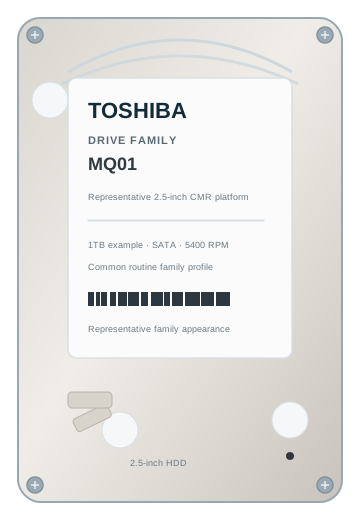
Representative family appearanceToshiba MQ01
Exterior appearance can vary by model, capacity, revision and OEM enclosure.
TOSHIBA
MQ01
Recovery ComplexityRoutine
MQ01 is a mature conventional Toshiba platform. For a professional lab the platform itself is comparatively familiar, although a mechanical failure can still require precise donor matching and controlled imaging.
Format2.5-inch
RecordingCMR
Main considerationMechanical condition / donor matching
CMRMATURE PLATFORMDONOR MATCHING
Complexity describes relative professional recovery workflow complexity, not the probability of recovery in an individual case. Family appearance and internal configuration can vary by model and revision.
From the Lab
Professional Recovery Equipment
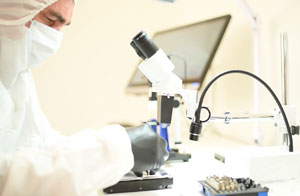
Hard drive recovery depends on controlled diagnostics, imaging and device-specific recovery tools rather than ordinary file-copy software.
Recovery begins by identifying the failure, stabilizing the original media and acquiring the safest sector-level image possible. Filesystem reconstruction and verification are then performed from the acquired data rather than repeatedly operating the failed source drive.
01
Diagnosis
The drive is inspected and tested to identify the failure and determine how safely it can be accessed.
→
02
Stabilization
Electronic, firmware or mechanical intervention may be required before data extraction can begin.
03
Sector-Level Imaging
Readable sectors are acquired to separate storage using strategies matched to the condition of the media.
→
04
Filesystem Reconstruction
The acquired image is analyzed for partitions, directories, filesystem structures and recoverable files.
05
Recovery Result & Verification
Recovered directory structures and files are evaluated to determine the result and the effect of any permanently damaged sectors.
Mechanical Recovery
Hard Drive Recovery in an ISO 5 Cleanroom
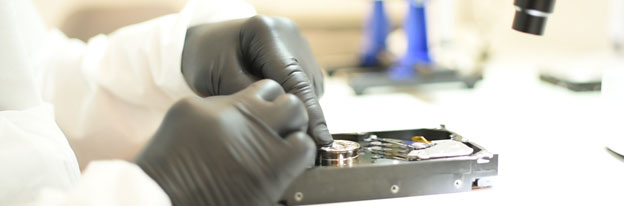
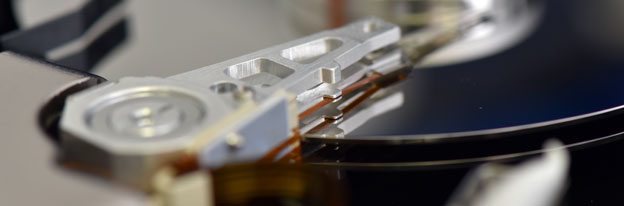
A hard disk drive contains read/write heads operating extremely close to precision magnetic recording surfaces. When internal components fail, opening the drive in an uncontrolled environment can introduce contamination that was not present during normal operation.
Drives requiring internal mechanical intervention are handled in our ISO 5 cleanroom. When donor components are required, compatibility is selected for the specific drive family and failure. After stabilization, the source drive is imaged using professional recovery equipment rather than returned to everyday service.
Internal mechanical work is performed only when the failure requires controlled access to the drive assembly.
Firmware & Service Area
Firmware and Service-Area Problems
Hard drives maintain internal firmware and service information required for initialization, head control, defect management and access to user data. Damage or corruption in these structures can cause incorrect identification, abnormal capacity, persistent busy states or inaccessible sectors.
Firmware recovery is specific to the drive family and failure. Modern platforms may require family-specific technological access before stable sector-level imaging can begin.
Supported Media
Hard Drives and Interfaces We Recover
Aesonlabs works with hard drives used in personal computers, workstations, external storage devices, servers and legacy systems.
We work with hard drives from manufacturers including Western Digital, Seagate, Toshiba, HGST / Hitachi, Samsung and other current and legacy manufacturers.
Hard drives originating from RAID, NAS and server systems can also be recovered. When the objective is reconstruction of the complete storage array, the case is handled through our RAID and Server Data Recovery Services.
Protect the original drive. If a drive is clicking, repeatedly disconnecting, producing significant read errors or otherwise behaving abnormally, avoid unnecessary power cycles and repair utilities. Continued use can worsen some physical failures and overwrite data in logical-loss cases.
What Not to Do With a Failing Hard Drive
Do not repeatedly power-cycle a clicking or mechanically abnormal drive.
Do not run CHKDSK, filesystem repair or surface-scanning utilities on a drive showing signs of physical failure.
Do not format or initialize a drive because the operating system asks you to.
Do not open the hard drive enclosure outside an appropriate controlled environment.
Do not freeze the hard drive or attempt improvised mechanical recovery methods.
If the drive remains accessible but file transfers are freezing, read errors are increasing or the device repeatedly disconnects, continued operation may indicate that the media is deteriorating. When the data is important, stopping further use is generally preferable to experimenting with the original drive.
Why Aesonlabs
Hard Drive Recovery Based on the Actual Failure
Hard drive data recovery is performed directly by Aesonlabs rather than being forwarded to an unknown third-party laboratory. Each device is evaluated individually and the recovery procedure is based on the actual condition of the media.
Customers also have access to a case-management portal where the progress of an active recovery case can be followed using the unique case number assigned when the device is submitted.
For customers who cannot bring a device directly to our laboratory, shipping options are available throughout Canada. Local delivery and pickup options may also be available depending on location and case requirements.
Frequently Asked Questions
Hard Drive Data Recovery FAQ
Often it can, but the result depends on why the drive is clicking and whether damage has occurred to the recording surfaces. Clicking can indicate problems with the read/write heads or other internal components. The drive should be powered off and diagnosed rather than repeatedly restarted.
Potentially. A drive can become undetectable because of electronic, firmware or mechanical failure. Diagnosis is required before recoverability can be assessed.
No. Opening a hard drive is appropriate only for failures requiring internal mechanical intervention. Logical, firmware and many electronic problems do not require the drive enclosure to be opened.
Depending on the type of formatting, filesystem, subsequent use and physical condition of the drive, data may remain recoverable. Continued use after formatting can overwrite previously stored information, so the drive should not be used if the missing data is important.
Recovery software can be appropriate for some logical-loss situations involving a physically healthy drive. It should not be used on a drive that is clicking, repeatedly disconnecting, producing significant read errors or otherwise showing signs of physical instability.
Recovery time depends on the type of failure, storage capacity, condition of the recording surfaces, imaging speed and whether donor components or cleanroom work are required. A more meaningful estimate can be provided after the drive has been diagnosed.
No. A failed hard drive should not be relied upon for continued storage. Successfully recovered data is transferred to separate storage rather than written back to the failed source drive.
Start a Recovery Case
Have a Failed, Clicking or Inaccessible Hard Drive?
Submit the drive information and describe the symptoms you have observed. We will evaluate the device and determine the appropriate recovery procedure.