Open A Recovery Case Open Case
LaCie external drive recovery

LaCie data recovery

Professional LaCie data recovery for failed external drives, SSDs and multi-drive storage systems. LaCie is not a traditional hard drive manufacturer in the same sense as Seagate, Western Digital, Toshiba or Hitachi/HGST — the enclosure and product design are only the beginning of the diagnosis.

Seagate acquired a controlling interest in LaCie in 2012. In the modern Seagate-era LaCie HDD product line, finding a Seagate drive inside is expected. Older LaCie products are different: depending on the generation, the enclosure may contain Western Digital, Toshiba, Hitachi/HGST, Seagate or another drive platform. Recovery starts by identifying which era and architecture is actually in front of us.

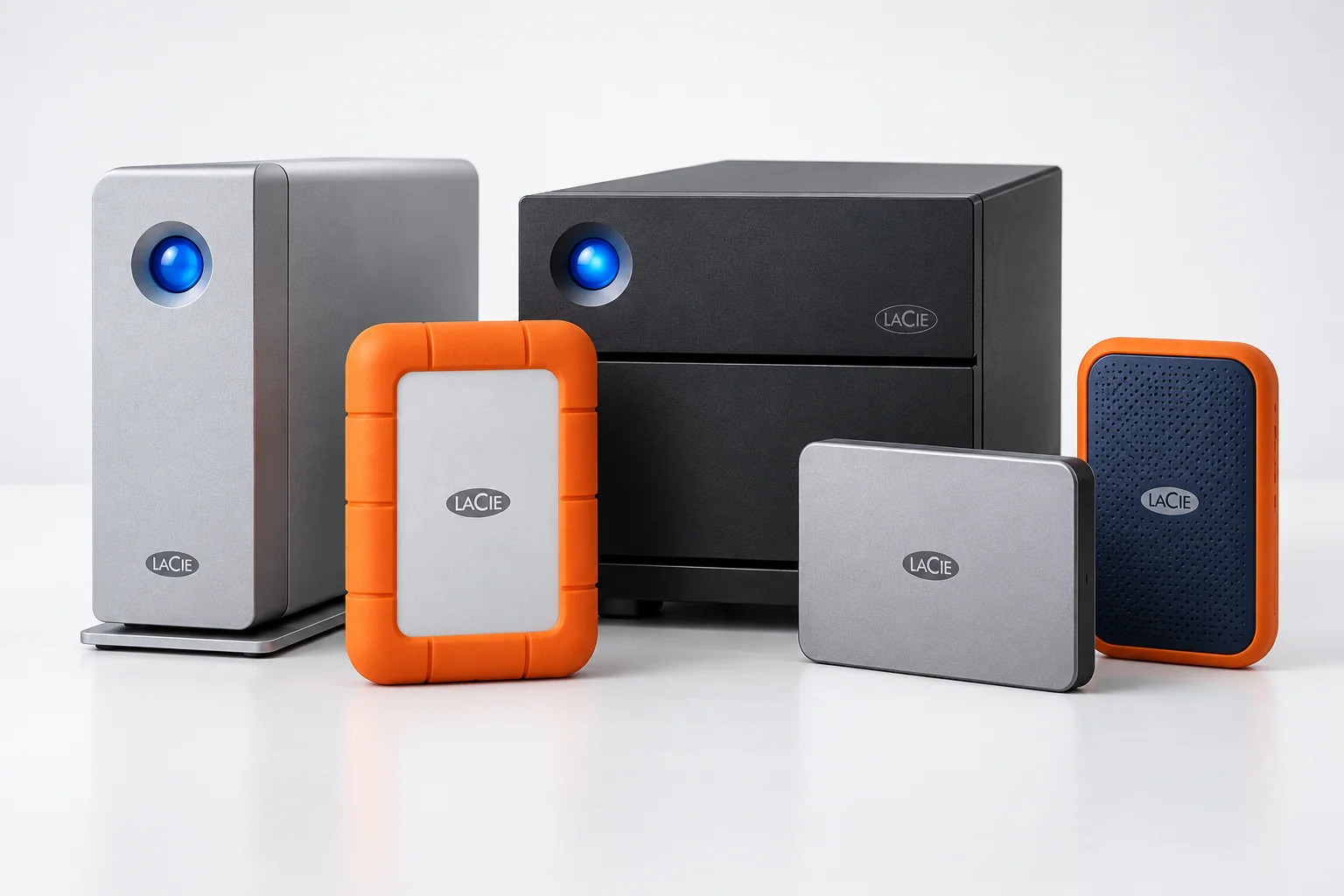
Rugged & d2 External HDDs SSDs Older LaCie systems
LaCie external storage prepared for professional data recovery
Modern LaCie vs legacy LaCie

Modern LaCie HDDs are Seagate-based. Older LaCie drives can be different.

Seagate completed the acquisition of a controlling interest in LaCie in August 2012. That changed what the LaCie name means from a recovery standpoint. A modern LaCie HDD is part of the Seagate storage ecosystem, and current products such as the d2 Professional are explicitly built around Seagate hard drives.

Older LaCie products are much less predictable. Before the Seagate era, LaCie sold enclosures and storage systems populated with drives from multiple manufacturers. It is therefore completely normal to open an older LaCie and find a Western Digital, Toshiba, Hitachi/HGST or Seagate mechanism inside.

For data recovery, the LaCie model tells us how the storage was packaged and connected. The actual internal drive manufacturer, drive family, number of disks, interface board, RAID layout and physical condition determine the technical recovery path.

Different LaCie external storage enclosures representing modern and legacy product generations
What is actually inside?

What can actually be inside a LaCie enclosure?

The age of the LaCie product is important. On current Seagate-era HDD products, Seagate is the expected internal manufacturer. On older LaCie hardware, the outer enclosure does not reliably identify the drive inside, so the unit must be opened and the actual media identified before donor, firmware or mechanical decisions are made.

One enclosure does not always mean one drive

Some LaCie products contain more than one physical drive

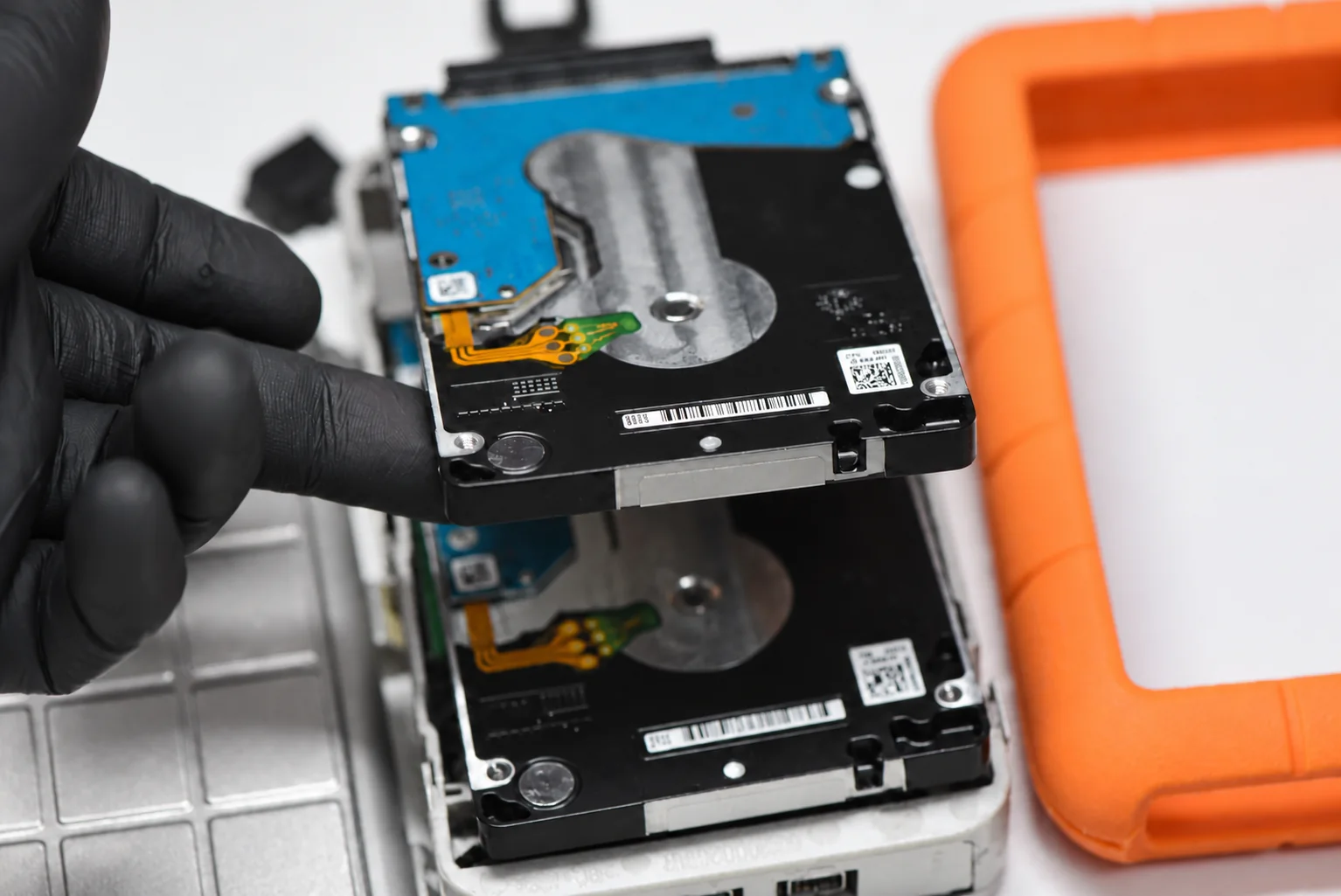
Most people see one LaCie box and reasonably assume there is one drive inside. Often that is true. But some models use two or more physical drives behind a single enclosure. In those cases the recovery has an additional logical layer: the individual disks must be stabilized and the original multi-drive layout must be understood before the volume can be reconstructed.

Single drive

Single-drive enclosure

In some LaCie models, the problem may be the interface board, connector, power path, encryption layer or the single internal drive itself. These cases are often closer to standard external-drive recovery after the failing layer is identified.

Multi-drive design

Multi-drive enclosure

Some LaCie products combine multiple disks into one visible volume. If the layout is striped with no redundancy, failure of one member can make the entire volume inaccessible even though the other disk still spins and identifies normally.

Why LaCie cases can become difficult

A failed LaCie can be more complicated than it looks

A LaCie unit that does not mount is not automatically a simple "external drive" problem. The failure may sit at several different layers at once.

01

Enclosure and interface failure

Cables, power supplies, bridge boards, USB, Thunderbolt or older FireWire/eSATA interface hardware can fail before the internal media is even evaluated.

02

Legacy LaCie can hide a different manufacturer

On older LaCie units, opening the enclosure may reveal Western Digital, Toshiba, Hitachi/HGST or Seagate hardware. The recovery strategy then follows the actual internal drive family rather than the LaCie badge on the enclosure.

03

Multiple drives and stripe dependency

Some LaCie products present one logical volume only because several physical disks are working together behind the scenes. Failure of one member can take down the entire visible volume.

04

Creative-workflow data at risk

LaCie devices are widely used for photo, video, music and Mac-centric project storage, where the lost data may involve large active work archives rather than disposable copies.

Real Aesonlabs case

The 4 TB LaCie that was really two 2 TB Seagate Rosewood drives

One of the clearest Seagate-era examples is our LaCie case in which a supposedly straightforward 4TB external unit contained two internal 2TB Seagate Rosewood drives working together as a striped volume. Finding Seagate drives inside a modern LaCie was not the surprise — the risky two-drive architecture was.

With no redundancy, the logical volume depended on both Rosewood members remaining readable. Once both drives developed serious problems, the case became a combined Seagate-family, multi-disk and fragmented-volume recovery rather than a simple external-drive job.

Selected Aesonlabs recovery cases

Featured recovery cases from Canada, the United States and abroad

Loading case map…
Worldwide LaCie recovery

Ship a failed LaCie drive to Aesonlabs

We accept LaCie recovery cases by tracked shipment from across Canada, the United States and internationally, including Rugged drives, d2 systems, SSDs, single-drive externals, multi-drive RAID units and previously attempted cases.

If the unit has already been opened, if the internal drives were removed, or if another recovery company already examined it, include that history when opening the case.

LaCie device failed?

Have a LaCie drive that no longer mounts, clicks, disappears or shows the wrong capacity?

Tell us what happened and what type of LaCie unit you have. You do not need to know in advance what internal drive family or RAID layout is inside the enclosure.

If possible, include the model, capacity, interface, whether it is a Rugged, d2, 2big or other LaCie product, and whether the case involves one internal device or multiple drives.

Rugged d2 2big / RAID SSD / NVMe External HDD Previous Attempt
Request an Evaluation

Tell us about your LaCie device

Start with the symptoms and model information you have.

LaCie data recovery

Need data from a failed LaCie drive?

Tell us the model and what happened. We will determine what storage is actually inside the enclosure and what recovery path makes sense before unnecessary work is performed.