
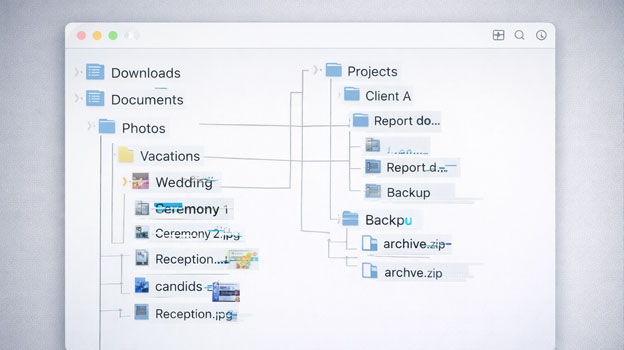
Most of us treat saved files like they’re set in stone — click Save, close the program, and it should be there forever.
Except sometimes it isn’t.
Maybe you open an old photo and it won’t load anymore.
Maybe a document suddenly throws an error.
Maybe a drive that worked fine yesterday now shows garbled filenames or asks to be formatted.
And all of this can happen even when nothing “obvious” went wrong.
So… can data really become corrupted out of nowhere?
The short answer is: yes — but it never actually happens for “no reason.”
There’s always a cause, even if it’s invisible to you until you dig a little deeper.
Let’s unpack this in plain language.
What We Mean By “Data Corruption”
When we say a file is corrupt, we mean that the bits on the storage device no longer represent the original information you saved.
That might be:
A photo that won’t open at all
A document that opens with garbage instead of text
A folder that suddenly shows weird icons
A drive that asks you to format before you can use it
Corruption doesn’t always mean your data is gone. Sometimes it’s just unreadable because something changed beneath the surface.
(If you’re interested in how long different storage media can realistically preserve data, we covered that in detail in our article on whether M-Discs can really last 1,000 years.)
Surprise Corruption Can Happen — But Here’s Why
There are a handful of real-world reasons corruption shows up “unexpectedly”:
Interrupted Writes During Saving
When a file is being updated — even in the background — and the power goes out or the system crashes, parts of the file may never get written properly. Computers don’t always tell you this happened. The result? A damaged file the next time you open it.
(For a technical breakdown of how operating systems manage file writes, Microsoft provides documentation on how NTFS works here: File Systems Overview – Microsoft Docs.)
Physical Storage Wear and Bad Sectors
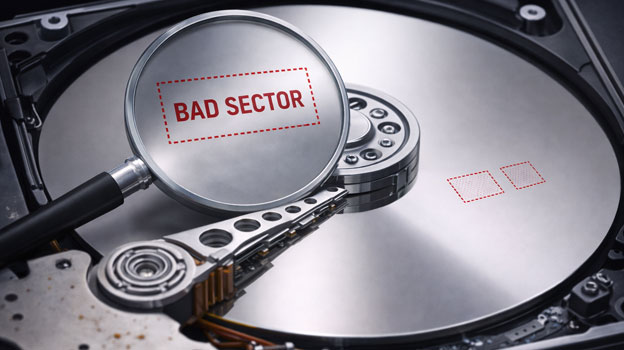
Hard drives and SSDs aren’t perfect. Over time, parts of the media can degrade and develop bad sectors — areas that no longer reliably hold data. When files (or parts of them) sit in these spots, they can become corrupted.
This isn’t “bit rot myth” folklore — it’s a well-documented physical phenomenon.
You can read more about how bad sectors form here:
Bad Sector – Technical Overview
File System Damage
Your computer uses a structure called a file system (like NTFS on Windows) to keep track of what’s where. If that structure gets damaged — often silently — files can appear corrupt even if their raw data is intact.
We’ll be publishing a deeper breakdown soon on how file systems fail and why drives sometimes show as “RAW.” (Future internal link opportunity.)
Silent Corruption and Bit Flips
Sometimes individual bits flip from 0 to 1 or vice versa without any obvious trigger. In large datasets, even error-correction systems can eventually miss these flips.
This slow accumulation of tiny errors is the technical root of what people refer to as data rot or bit rot.
For those interested in the science behind silent data corruption, this is a solid technical explanation:
Data Degradation and Bit Rot
SSD Charge Leakage
Flash storage (SSDs, USB drives) holds data as electrical charges. Over time, especially if a device sits unpowered for long periods, those charges can weaken and lead to errors.
Modern SSD controllers do a lot of smart correction, but there are limits.
If you’re using SSDs for long-term storage, it’s worth understanding how they compare to other archival methods — which we touched on in our long-term storage media breakdown.
Malware and External Modification
Not all corruption is accidental. Some malware — especially ransomware — makes files unreadable on purpose.
For official guidance on ransomware behavior and prevention, the Canadian Centre for Cyber Security provides a useful overview here:
What is Ransomware – Government of Canada
So What About “Out of Nowhere”?
Most people expect corruption to show up right after a crash, power spike, or physical damage.
But in reality:
Corruption can lie dormant for months
Bad sectors can slowly accumulate
Tiny bit flips can build up over time
A drive can seem fine until the day it isn’t
This is why many users say:
“I didn’t do anything — it just stopped working.”
It’s not magic. It’s just that the conditions that caused it weren’t obvious at the time.
Is This Something Regular People Should Worry About?
Short answer: yes — but maybe not in the dramatic way people imagine.
Silent corruption isn’t as common as a dropped laptop or spilled coffee, but it does happen — and usually at the worst possible moment.
And it’s not limited to one type of storage:
Hard drives age and can develop bad sectors
SSDs can lose charge during long idle periods
USB sticks often fail without warning
Even backup drives can contain corrupt copies of corrupt files if not periodically verified
(We’ll be covering proper backup verification in a future article — another internal link opportunity.)
The Part Most People Miss: Detection
Corruption is easiest to detect when you’re checking integrity, not when you’re just opening a file.
Professionals use things like:
Checksums and hash verification
File system integrity checks
Regular backup restore tests
Without those, corruption can sit quietly until a file is needed — and that’s usually the worst time to discover it.
Can You Recover Corrupted Data?
Sometimes yes, sometimes no. It depends on:
Why it happened
How extensive the damage is
Whether the media has physical wear
Whether backups exist
There’s a big difference between a broken file structure (usually recoverable) and true media failure (much harder).
If a drive still spins and makes no clicking noises, chances are better. But repeated attempts to open a corrupted file on a failing drive can make things worse.
If you’re not sure what you’re doing, the safest move is to stop using the device and get a professional evaluation.
Final Thought
Data rarely corrupts for no reason. There is always a cause — even if it wasn’t obvious at the time.
Files are bits on a physical medium, and physical things change. Over time, that change sometimes leads to corruption.
Understanding why corruption happens — instead of assuming it’s random — is the first step toward protecting your data in the long term.